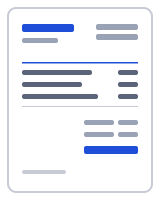
How to make a invoice in one minute
- Fill in From with your business details and Bill to with the customer, then check Invoice number and Date.
- Replace the sample descriptions and rates; the unit column is set to room. Press Add line for preparation or access equipment.
- Update Notes with the brands and colours agreed, and either keep the materials line or fold materials into the room rate.
- Under Totals, enter the deposit in Amount paid so Balance due shows what is left; Terms and conditions already says 25% on booking and the balance on completion.
- Add a VAT line if you are registered, then press Download PDF.
How to invoice for painting and decorating
Painters price per room, by area or per day, and the invoice should say which. The template opens priced per room: the first line is a living room, walls and ceiling prepared and painted with two coats, at 620.00; the second is gloss woodwork (skirting, architraves and one door) at 180.00; the third is paint and materials as one lot at 145.00. The unit column reads room, so a three-room job is quantity 3 on one line, or three lines if the rooms differ in size and price.
Say how many coats and what preparation was done in each description. If you price by area, change the unit to m² and the quantity to the area; by the day, use days and your day rate. Preparation such as filling, sanding and masking deserves its own line on larger jobs, and exterior work usually adds access equipment (a scaffold or tower) as a separate line at the hire cost.
Materials are either included in the room rate or itemised; the prefilled Notes support the second approach by recording the finishes: walls in Warm White matt, woodwork in Brilliant White satin. Colours on the invoice help the customer reorder for touch-ups and settle later questions about what was agreed.
The prefilled Terms and conditions say a 25% deposit was paid on booking and the balance is due on completion. Enter that deposit in Amount paid under Totals so Balance due shows only what remains and the deposit stays visible on the PDF. If you are VAT-registered, add a VAT line and choose the UK preset for the VAT Reg. No. label.
Deposits on the painting invoice template
You can run the whole job from one document: send the invoice with the full price and the deposit terms, and when the deposit arrives type it into Amount paid and download the PDF again, now showing the balance. When the balance is paid, Mark as paid updates the status in Recent documents.
Your data stays on your device
Your painting invoices, customers and colour notes are saved in this browser only and never uploaded. The PDF is generated in your browser by a small worker; nothing is uploaded, and there is no account to create. Drafts, clients and your business profile live in your browser's local storage (IndexedDB), and one button under "Your data" deletes all of it. To verify, open your browser's developer tools, watch the Network tab while you fill in and download a document, and note that no request carries your details. Read the privacy policy and how it works for the details.
Templates, currencies and PDF output
| Templates | Classic, Modern, Minimal, Compact, Ledger, Receipt (6 layouts; accent colour and logo are yours). Prefilled invoice and receipt templates by trade open in the same editor. |
|---|---|
| Currencies | 68 ISO currencies with the right symbol and decimals, for example USD, CAD, GBP, EUR, AUD, INR and JPY. Country presets also set the tax lines and ID labels. |
| Paper sizes | A4 and US Letter; page numbers on multi-page documents |
| Numbering | Sequential per type, default prefix INV-0001, editable |
| Output | PDF download (text stays selectable), print, or a prefilled email with the PDF attached by you; file name Invoice-number-client.pdf |
Frequently asked questions
Should I price painting per room, per day or by area?
Per room is easiest for customers to compare and is what the template shows. By area (per m²) is fairer on large or awkward spaces; per day suits work where the scope is unclear, such as repairs before painting. State which in the description, with the number of coats.
How do I show a deposit on a painting invoice?
Type it into Amount paid under Totals. The PDF then shows the full price, the deposit and the Balance due, so the customer sees what is left. The prefilled Terms and conditions say 25% on booking; change the figure if you ask for more, or delete the sentence on small jobs.
Do I include paint in the price or list it separately?
Either works. A separate materials line, as in the sample, shows what the paint cost and protects your labour rate when the customer chooses an expensive product. Folding it into the room rate keeps the invoice shorter and suits jobs done with your usual trade paint. Either way, record the colours in Notes.
How do I invoice preparation, scaffold or tower hire?
Add a line for each. Preparation (filling, sanding, stripping wallpaper, masking) gets its own line with hours or a fixed price, so the customer understands why a small room cost more. Access equipment for exterior work goes on a line at the hire cost, described as such, because it is a cost you pass on.
Can I add VAT to a painting invoice?
Yes, if you are VAT-registered. Choose the UK preset in Document settings and the editor adds a VAT line under Totals and a VAT Reg. No. field in the From block. Presets are starting points; confirm the current rate with your tax authority.
Can I quote the job first and turn the quote into this invoice?
Yes. Make the quote in the estimate generator with the same per-room lines and deposit terms, and press Convert to invoice when the job is done. The lines carry over and the invoice takes the next number; adjust anything that changed, such as an extra room, before you download.
Related
- Free invoice generator
- Handyman invoice template for hourly jobs and materials at cost
- Plumbing invoice template with call-out, labour and parts lines
- Cleaning invoice template with per-visit lines and a service address
- Contractor invoice template with labor, materials and retention
- Invoice generator UK: VAT invoices at 20%, 5% or 0%
Last updated 2026-09-27. Presets are starting points — confirm current rates and requirements with your tax authority. PDF engine: pdfmake (MIT); fonts: Inter and Noto Sans (SIL Open Font License).