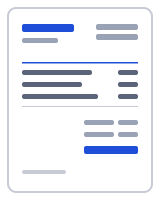
How to make a invoice in one minute
- Choose United States under Country preset. Currency switches to USD, Paper size to Letter, Date format to MM/DD/YYYY and Terms to Net 30, and a Sales tax line at 0% appears under Totals.
- Fill in From with your business name, address, email and phone. The EIN field is optional; leave it blank if you invoice under your own name.
- Fill in Bill to with the client's name, company and billing address, and add their PO number under Reference / PO number if they gave you one.
- Add Line items with a Description, Qty, Unit and Rate, then type your combined state and local rate into the Sales tax line, or delete the line if you do not collect sales tax.
- Enter Payment details (bank name and account, check instructions in Notes, or a Pay online link) and press Download PDF.
What an invoice in the United States must show
There is no federal law that dictates what a US invoice has to contain, and no national sales tax. What you need is an invoice your client’s bookkeeper can process without questions, plus whatever your state or city requires if you collect sales tax. The editor’s checklist for the United States preset covers both.
Start with your business name and contact details in the From block. The EIN field is there for businesses that have an Employer Identification Number and want it on the invoice; sole proprietors often leave it out, and nothing in the editor forces you to fill it. Then a unique invoice number and the invoice date, formatted MM/DD/YYYY by default because that is how American clients read dates. The number increments automatically and the editor warns if you reuse one.
The Bill to block carries the client’s name and billing address. Large companies often require their purchase order number on every invoice before accounts payable will release a payment, so use the Reference / PO number field. Payment terms and a due date come next: the preset selects Net 30, meaning payment is due 30 days after the invoice date, and calculates the Due date for you. Change it to Due on receipt or Net 15 if you prefer to be paid sooner.
Sales tax belongs on its own line, with the rate and the amount, wherever your state, county or city requires you to collect it on what you sell. Services are untaxed in many states and taxed in others, and goods shipped across state lines usually follow the destination’s rules. The preset cannot know your rate, so the line starts at 0% and you type the combined rate that applies. Presets are starting points — confirm current rates and requirements with your tax authority.
Finish with how to pay: bank name and account number for an ACH transfer or wire, instructions for mailing a check, or a payment link that prints as Pay online. The currency is USD and the paper is Letter, matching American printers.
Invoice generator USA: how the sales tax line works
The United States preset keeps tax simple because the rules are local. Under Totals there is a single line named Sales tax at 0%. Type 8.25 and the editor calculates 8.25% of the taxable subtotal, rounds it to the cent and adds it to the total. If your city adds a district tax on top of the state rate, enter the combined figure on one line, or add a second tax line named for the city so each rate is visible; up to three lines are available.
Each line item has a checkbox per tax, so an invoice that mixes taxable parts with untaxed labor can show tax on the parts only. If you do not collect sales tax at all, delete the line and the totals block shrinks to subtotal, any discount, and the total.
The tax-inclusive toggle handles prices quoted with tax built in, and the compound flag is there for the rare jurisdictions that calculate one tax on top of another. The rate you type is remembered for the next invoice on this device. For the wider question of whether a particular sale is taxable in your state, ask your state’s department of revenue or an accountant; the editor only does the arithmetic.
Your data stays on your device
Your US invoices, client addresses and any EIN you type are created and stored in this browser only; no server ever sees them. The PDF is generated in your browser by a small worker; nothing is uploaded, and there is no account to create. Drafts, clients and your business profile live in your browser's local storage (IndexedDB), and one button under "Your data" deletes all of it. To verify, open your browser's developer tools, watch the Network tab while you fill in and download a document, and note that no request carries your details. Read the privacy policy and how it works for the details.
Templates, currencies and PDF output
| Templates | Classic, Modern, Minimal, Compact, Ledger, Receipt (6 layouts; accent colour and logo are yours). Prefilled invoice and receipt templates by trade open in the same editor. |
|---|---|
| Currencies | 68 ISO currencies with the right symbol and decimals, for example USD, CAD, GBP, EUR, AUD, INR and JPY; the United States preset picks the default. Country presets also set the tax lines and ID labels. |
| Paper sizes | A4 and US Letter; page numbers on multi-page documents |
| Numbering | Sequential per type, default prefix INV-0001, editable |
| Output | PDF download (text stays selectable), print, or a prefilled email with the PDF attached by you; file name Invoice-number-client.pdf |
Frequently asked questions
Do I need an EIN to send an invoice in the United States?
No. An Employer Identification Number is a federal tax ID for businesses, and sole proprietors and freelancers often invoice without one. The EIN field on the From block is optional, so leave it blank if you do not have one. Never put your Social Security number on an invoice; if a client needs it for a 1099 form, send it separately and securely.
What if I do not collect sales tax?
Delete the Sales tax line under Totals and the invoice shows a subtotal, any discount, and the total. Many service businesses collect no sales tax at all, while sellers of goods usually do in states where they have a presence. Whether you must register and collect is set by each state, so ask your state's department of revenue if you are unsure.
How do I find the sales tax rate to type in?
Use the combined rate for the place the sale is taxed: the state rate plus any county, city or district rates. Most state departments of revenue publish a lookup by address. Type the combined figure, for example 8.25, into the Sales tax line, or split it into two named lines if your client wants to see the state and local parts separately.
What does Net 30 mean, and should I use it?
Net 30 means the full amount is due 30 days after the invoice date; it is the most common term between US businesses, which is why the preset selects it. Freelancers billing individuals often choose Due on receipt or Net 15 instead. Pick the term under Terms and the Due date is calculated for you, or set a custom date.
Can I invoice in a currency other than US dollars?
Yes. Change Currency in Document settings and every amount uses that currency's symbol, symbol position and number of decimals. The sales tax line and the totals work the same way. Date format and paper size are separate settings, so you can keep MM/DD/YYYY and Letter for a client who pays you in euros, or switch those too.
Which paper size should a US invoice use?
Letter, 8.5 by 11 inches, is the default for the United States preset because it is what American printers, scanners and filing systems are built around. Clients abroad usually expect A4, which is slightly taller and narrower; switch under Paper size and the PDF is laid out again, with page numbers if it runs past one page.
How long should I keep invoices for tax purposes?
The Internal Revenue Service generally advises keeping records that support your income for at least three years after filing, and longer in some situations; states can set their own periods. Since your invoices are stored in this browser, export a JSON backup with Export data now and then and keep the PDFs alongside your accounting records.
Related
- Free invoice generator
- Invoice generator Canada: GST, HST, PST and QST by province
- Invoice generator UK: VAT invoices at 20%, 5% or 0%
- Invoice generator Australia: tax invoices with ABN and GST
- Freelance invoice template for project, per-piece and hourly work
- Contractor invoice template with labor, materials and retention
- Hourly invoice template with a line per day and 15-minute increments
- Cleaning invoice template with per-visit lines and a service address
Last updated 2026-09-27. Presets are starting points — confirm current rates and requirements with your tax authority. PDF engine: pdfmake (MIT); fonts: Inter and Noto Sans (SIL Open Font License).