How to make a invoice in one minute
- Fill in From with your business details and Bill to with the homeowner or property manager.
- Replace the sample descriptions and rates: one line per task, quantity in hrs, your hourly rate. Press Add line for each extra task so the customer sees where the hours went.
- Keep materials on a separate line at cost, as the hardware sample does, and say in the description when the customer supplied them.
- Set Terms to Due on receipt, add a sales tax line under Totals if you charge one, and check Notes for your minimum charge.
- Press Download PDF. When you are paid, Mark as paid turns the same details into a handyman receipt.
How to invoice for handyman work
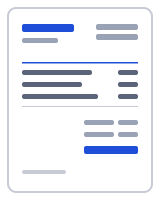
Handyman jobs are a list of small tasks, and the invoice should read that way. The template opens with three lines: four hours hanging three interior doors and adjusting the latches, two hours patching and painting a hallway wall where the client supplied the paint, and a hardware lot of hinges, screws and filler at 34.20. The first two lines use hrs as the unit at a 65.00 hourly rate; the hardware line uses lot with quantity 1.
Bill by the hour with a minimum charge, or per task for repeat jobs where you know how long each takes. The prefilled Notes state that a half-day minimum applies; if yours is two hours or a fixed visit fee, change the text. Give each task its own line rather than one line for the visit: when a customer sees that the doors took four hours and the wall two, the total is easier to accept.
Materials you bought go on their own line at cost, with a description saying what they were; keep the store receipts in case the customer asks. When the customer supplied the materials, say so in the description, as the wall-patching sample does. Delete the hardware line if you brought nothing.
Due on completion is the prefilled term and suits one-off residential work: you are paid before you leave. Add your bank or payment-link details under Payment details so the customer can pay from the PDF, and for property managers who pay in batches switch Terms to Net 15 or Net 30.
From handyman invoice template to handyman receipt
Once the customer has paid, press Mark as paid. The status in Recent documents changes to Paid and the editor offers to create a receipt from the same details; many homeowners want one for their records. For customers you visit every month, Duplicate copies the last invoice with the next number so you only retype the tasks.
Your data stays on your device
Your handyman invoices and the customers on them are stored in this browser only; nothing is uploaded when you download or print. The PDF is generated in your browser by a small worker; nothing is uploaded, and there is no account to create. Drafts, clients and your business profile live in your browser's local storage (IndexedDB), and one button under "Your data" deletes all of it. To verify, open your browser's developer tools, watch the Network tab while you fill in and download a document, and note that no request carries your details. Read the privacy policy and how it works for the details.
Templates, currencies and PDF output
| Templates | Classic, Modern, Minimal, Compact, Ledger, Receipt (6 layouts; accent colour and logo are yours). Prefilled invoice and receipt templates by trade open in the same editor. |
|---|---|
| Currencies | 68 ISO currencies with the right symbol and decimals, for example USD, CAD, GBP, EUR, AUD, INR and JPY. Country presets also set the tax lines and ID labels. |
| Paper sizes | A4 and US Letter; page numbers on multi-page documents |
| Numbering | Sequential per type, default prefix INV-0001, editable |
| Output | PDF download (text stays selectable), print, or a prefilled email with the PDF attached by you; file name Invoice-number-client.pdf |
Frequently asked questions
How do I charge a minimum for small jobs?
State the minimum in Notes, as the template does with its half-day minimum, and make the first line match it: if a job took one hour but your minimum is four, bill quantity 4 and describe it as the minimum call. Customers accept a minimum they were told about in advance.
Should I list every small task or one line for the whole visit?
List the tasks. One line per task with its hours shows the customer where the time went, which reduces questions and makes the invoice a record of what was fixed. Group very small items (adjust three latches, rehang a cupboard door) on one line, but keep separate lines for anything that took an hour or more.
How do I bill materials the customer bought themselves?
Do not bill them; just note it. Write "paint supplied by client" or similar in the task description, as the sample hallway line does, so the invoice shows why there is no materials charge. For materials you bought, add a line at cost with a plain description and keep the receipts.
Can I make a handyman receipt from this invoice?
Yes. After the customer pays, press Mark as paid and accept the offer to create a receipt: the customer, lines and total carry over, and you add the payment method and date. The receipt gets its own number in a separate sequence. If you prefer to issue receipts directly, use the receipt generator.
Do I charge sales tax on handyman work?
That depends on your state and sometimes on whether the line is labor or materials, so keep the two separate. If you charge tax, add a tax line under Totals with the name and rate, or choose the USA preset to load a sales tax line. Presets are starting points; confirm what applies with your tax authority.
Can I reuse this for a regular customer?
Yes. Set up your From block, rate and notes once, then press Save as template so New from template starts every job from your version. For a regular customer, open the last invoice from Recent documents and press Duplicate: it copies everything with the next number, and you change only the tasks and hours.
Related
- Free invoice generator
- Plumbing invoice template with call-out, labour and parts lines
- Electrician invoice template with site address and licence number
- Painting invoice template with per-room pricing and a deposit line
- Cleaning invoice template with per-visit lines and a service address
- Invoice generator USA: invoices with sales tax, in US dollars
Last updated 2026-09-27. Presets are starting points — confirm current rates and requirements with your tax authority. PDF engine: pdfmake (MIT); fonts: Inter and Noto Sans (SIL Open Font License).