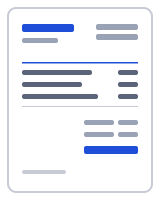
How to make a invoice in one minute
- Fill in From with your business details and Bill to with the client who made the booking, then type the Event date and Venue.
- Replace the sample descriptions and rates: guest count as quantity times your per-head price, staff hours in hrs, and delivery as a flat line.
- Press Add line for alcohol, hire equipment or a service charge, each on its own line.
- Under Totals, add GST if registered and enter the deposit in Amount paid so Balance due is right.
- Update Notes with the event time and the guest-number cut-off, then press Download PDF.
How to invoice for catering
Catering invoices mix three kinds of pricing, and the template opens with one line of each. Food is priced per guest: the sample is a three-course buffet lunch, menu B, for 40 guests at 38.00 a head, with guests as the unit so the quantity is the confirmed headcount. Staff are priced by the hour: two wait staff for five hours becomes quantity 10 at 42.00 in hrs. Delivery, setup and collection is a flat 120.00 with quantity 1. Change the menu name, headcount, rates and hours to match the booking.
Keep alcohol, hire equipment and service charges on separate lines rather than folding them into the per-guest price. They may be taxed differently from food, and clients want to see them separately.
Two fields print above the line items: Event date and Venue. They tie the invoice to the right booking when a client runs several events. The prefilled Notes give the event as Friday 3 October at 12:30 pm and state that final guest numbers were confirmed 7 days prior; that cut-off sentence explains why the invoice charges for 40 guests even if 36 turned up.
The prefilled Terms and conditions ask for a 50% deposit to confirm the booking, with the balance due 3 days before the event. Enter the deposit in Amount paid under Totals so the PDF shows the full price, the deposit and the Balance due. Add GST under Totals if you are registered; the Australia preset loads the GST line and an ABN label. Presets are starting points; confirm current rates with your tax authority.
Deposits on the catering invoice template
The usual sequence is quote, deposit, final numbers, balance. Make the quote in the estimate generator and press Convert to invoice once the booking is confirmed. When the deposit arrives, type it into Amount paid; after the headcount is final, update the quantity and download the PDF again for the balance. When that is paid, Mark as paid records it in Recent documents.
Your data stays on your device
Event details, client names and menus you type here stay in this browser; nothing is uploaded when the PDF is built. The PDF is generated in your browser by a small worker; nothing is uploaded, and there is no account to create. Drafts, clients and your business profile live in your browser's local storage (IndexedDB), and one button under "Your data" deletes all of it. To verify, open your browser's developer tools, watch the Network tab while you fill in and download a document, and note that no request carries your details. Read the privacy policy and how it works for the details.
Templates, currencies and PDF output
| Templates | Classic, Modern, Minimal, Compact, Ledger, Receipt (6 layouts; accent colour and logo are yours). Prefilled invoice and receipt templates by trade open in the same editor. |
|---|---|
| Currencies | 68 ISO currencies with the right symbol and decimals, for example USD, CAD, GBP, EUR, AUD, INR and JPY. Country presets also set the tax lines and ID labels. |
| Paper sizes | A4 and US Letter; page numbers on multi-page documents |
| Numbering | Sequential per type, default prefix INV-0001, editable |
| Output | PDF download (text stays selectable), print, or a prefilled email with the PDF attached by you; file name Invoice-number-client.pdf |
Frequently asked questions
How do I price per guest on a catering invoice?
Put the menu in the description, the confirmed number of guests in Qty and your per-head price in Rate, with guests as the unit; the amount is calculated for you. Use a separate line for each menu (adults, children, dietary options) so each headcount is visible.
How do I show the 50% deposit?
Enter it in Amount paid under Totals. The PDF then shows the full price, the deposit received and the Balance due, which the client needs 3 days before the event. The prefilled Terms and conditions explain the timing; change the percentage or the number of days to match your booking terms.
What if the guest numbers change after the quote?
The prefilled Notes say final numbers were confirmed 7 days prior, and that cut-off is what you bill on. Update the food line's quantity to the confirmed headcount before you send the balance invoice. If the client adds guests after the cut-off, add them as a separate line so the change is visible.
Should alcohol and equipment hire be separate lines?
Yes. Alcohol, hire equipment and service charges can be taxed differently from food, and clients reconcile them against the quote line by line. Give each its own line with the quantity and unit price so the totals are easy to check, and confirm how each is taxed with your tax authority.
Can I send the deposit invoice first and the balance later?
Yes, from the same document. Send the invoice with the full price and the deposit terms; when the deposit arrives, type it into Amount paid and download the PDF again for the balance. The invoice number stays the same, so the client's records match yours.
Where do the event details go?
Event date and Venue are fields above the line items and print in the meta block beside the invoice number. Put the serving time, dietary notes and the guest-number cut-off in Notes, as the sample does. The client's billing address belongs in Bill to, even when the venue is elsewhere.
Related
- Free invoice generator
- Photography invoice template: package, add-ons, retainer deducted
- Hourly invoice template with a line per day and 15-minute increments
- Cleaning invoice template with per-visit lines and a service address
- Blank invoice template to print and fill in by hand
- Invoice generator Australia: tax invoices with ABN and GST
Last updated 2026-09-27. Presets are starting points — confirm current rates and requirements with your tax authority. PDF engine: pdfmake (MIT); fonts: Inter and Noto Sans (SIL Open Font License).