How to make a invoice in one minute
- Choose a layout under Template (Classic, Modern, Minimal, Compact or Ledger) and set Paper size to A4 or Letter in Document settings.
- Fill in From with your business name, address and logo so they print on every copy, or leave it empty for a fully blank form.
- Leave Invoice number empty to write it in, or type a starting number so each copy you print is numbered.
- The six ruled lines stay blank until you type in Description, Qty or Rate; press Add line for more rows.
- Press Print for paper copies, or Download PDF to keep an empty invoice PDF on your device.
How to use a blank invoice template
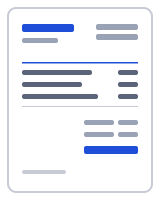
A blank invoice is for the jobs where you are not near a keyboard: a van, a market stall, a farm gate. Print a stack, keep them on a clipboard and fill one in by hand when the work is done. This template opens with six empty ruled lines in the Description, Qty, Unit, Rate and Amount columns and nothing in the totals, so the printed page is a form rather than a document.
Choose the look first. Template picks the layout (Classic, Modern, Minimal, Compact or Ledger) and Paper size sets A4 or Letter. Pick the paper your printer holds, because a form scaled down to fit is hard to write on. Your logo and accent colour apply to the printed form too.
Decide what to preprint. The usual choice is to fill in From with your business name, address, phone and tax number and add your payment details, so every copy already carries your identity and only the client, date and items are handwritten. Leave Bill to empty. For the invoice number, either leave it empty and write it in, or type a starting number, print one copy, change the number and print the next; a numbered stack keeps your sequence unbroken.
The page becomes a typed invoice the moment you enter a line item: type a description, a quantity and a rate and the amount and totals calculate as usual, with the remaining lines still printed blank. That makes the same page useful for a half-typed invoice: the client and call-out fee typed, materials added by hand on site.
Turning the blank invoice template into a typed one
Back at a keyboard, open the blank from Recent documents, type in the handwritten details and download the PDF for your records; set Terms so the due date is calculated and use Mark as paid when the money arrives. Save as template keeps your preprinted version, so New from template gives you a fresh blank with your details on it.
Your data stays on your device
Whatever you type into the blank invoice, from your logo to a client's name, is kept in this browser and never uploaded. The PDF is generated in your browser by a small worker; nothing is uploaded, and there is no account to create. Drafts, clients and your business profile live in your browser's local storage (IndexedDB), and one button under "Your data" deletes all of it. To verify, open your browser's developer tools, watch the Network tab while you fill in and download a document, and note that no request carries your details. Read the privacy policy and how it works for the details.
Templates, currencies and PDF output
| Templates | Classic, Modern, Minimal, Compact, Ledger, Receipt (6 layouts; accent colour and logo are yours). Prefilled invoice and receipt templates by trade open in the same editor. |
|---|---|
| Currencies | 68 ISO currencies with the right symbol and decimals, for example USD, CAD, GBP, EUR, AUD, INR and JPY. Country presets also set the tax lines and ID labels. |
| Paper sizes | A4 and US Letter; page numbers on multi-page documents |
| Numbering | Sequential per type, default prefix INV-0001, editable |
| Output | PDF download (text stays selectable), print, or a prefilled email with the PDF attached by you; file name Invoice-number-client.pdf |
Frequently asked questions
Is the blank invoice template really empty, or does it print sample text?
It is empty. The six line items have no description, a quantity of 1 and a rate of 0, so nothing prints in the table except the ruled rows. Anything you type in From, Notes or Payment details does print, which is how you preprint your own details and leave the rest blank.
Which paper size should I choose?
The one in your printer. Letter is standard in the United States and Canada; A4 nearly everywhere else. Set it under Paper size in Document settings before you print, because a page laid out for one size and scaled to the other shrinks the ruled lines and leaves uneven margins.
Can I print a numbered stack of invoices?
Yes. Type a starting number in Invoice number, press Print, change the number and print again. Or leave the number empty and write it in by hand as you use each sheet. Either way, keep one unbroken sequence so your records stay easy to follow.
Can I fill it in on screen instead of by hand?
Yes. The blank is the ordinary editor with empty lines, so click any Description, Qty or Rate field and type; the amount and totals calculate immediately, and the untouched lines still print as ruled rows. Add tax lines under Totals, pick a payment term, and press Download PDF for a typed invoice.
Is there a watermark or footer on the printed page?
There is no watermark. A small "Created with One Minute Invoice" line prints in the footer by default and you can switch it off with the toggle in the footer settings before you print. The form is otherwise yours: your logo, accent colour and details, with no advertising on the page.
Can I use the blank template for a receipt or an estimate instead?
Yes. The same blank approach works in the receipt generator and the estimate generator: start a new document there, leave the lines empty and print. Each type has its own number sequence and its own fields, such as Payment method on receipts and Valid until on estimates.
Related
- Free invoice generator
- Freelance invoice template for project, per-piece and hourly work
- Contractor invoice template with labor, materials and retention
- Hourly invoice template with a line per day and 15-minute increments
- Quote template with a valid-until date and an Accepted by line
- Invoice generator USA: invoices with sales tax, in US dollars
Last updated 2026-09-27. Presets are starting points — confirm current rates and requirements with your tax authority. PDF engine: pdfmake (MIT); fonts: Inter and Noto Sans (SIL Open Font License).